Only the account owner sees Plans and Billing.
The plans
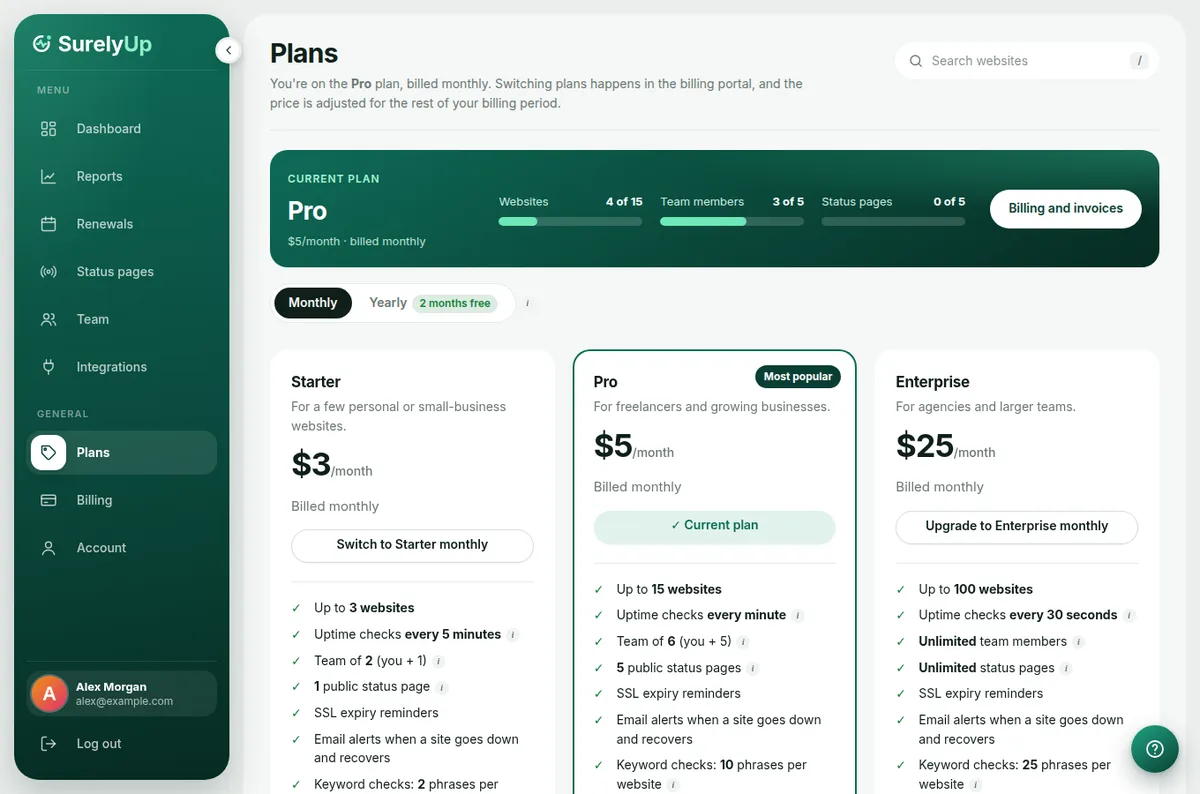
- Starter: $3/month. Up to 3 websites, checked every 5 minutes, 1 status page, 2 keyword phrases per website.
- Pro: $5/month. Up to 15 websites, checked every minute, a team of 5, 5 status pages, 10 keyword phrases per website.
- Enterprise: $25/month. Up to 100 websites, checked every 30 seconds, any team size, unlimited status pages, 25 keyword phrases per website.
Paying yearly costs the same as 10 months, so you get 2 months free. The free trial lasts 14 days, covers 3 websites and 1 status page, and needs no card.
Choose or change a plan
Open Plans. The green strip at the top shows your plan and how much of it you use: websites (for example 4 of 15), team members and status pages. Pick Monthly or Yearly, then choose a plan. Compare plans at the bottom puts every plan side by side. Payment happens on our payment partner's secure page, so your card never touches SurelyUp.
If you go over a limit
When you move to a smaller plan, or the trial ends, anything beyond the new plan's limits stops working and is marked Over limit, with an Upgrade button. The ones added last are the ones that stop:
- Websites aren't checked, and their SSL and domain dates aren't watched. On status pages they show as paused. When there's no plan at all, websites show No plan.
- Status pages aren't public: visitors see "Status page unavailable", and they can't be edited.
- Heartbeats don't record check-ins or send alerts.
- Team members can't open the account and don't get its emails.
- Keyword phrases past the limit aren't checked, and status page subscribers past the limit aren't emailed.
Nothing is deleted. Everything starts working again as soon as you upgrade, or remove enough to get back under the limit.
Your subscription
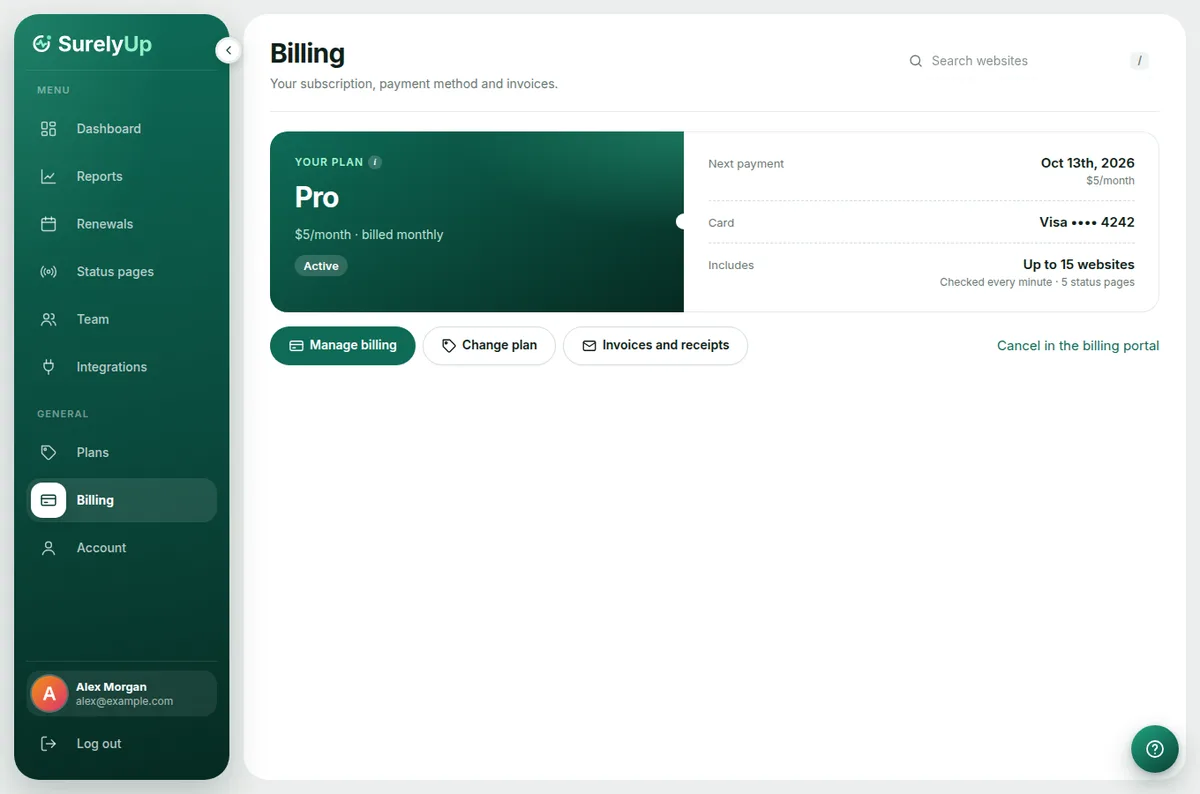
Billing shows your plan on the left, and your next payment date, the card on file and what your plan includes on the right. The buttons underneath do the rest:
- Manage billing (or Update payment method): change the card you pay with.
- Change plan: opens Plans.
- Invoices and receipts: download a PDF of every payment.
- Cancel: you keep your plan until the end of the period you've paid for. Your websites stay saved, so you can pick a plan again later.
During the free trial, Billing shows how many days are left and what the trial includes, with a See plans button.